
9:41
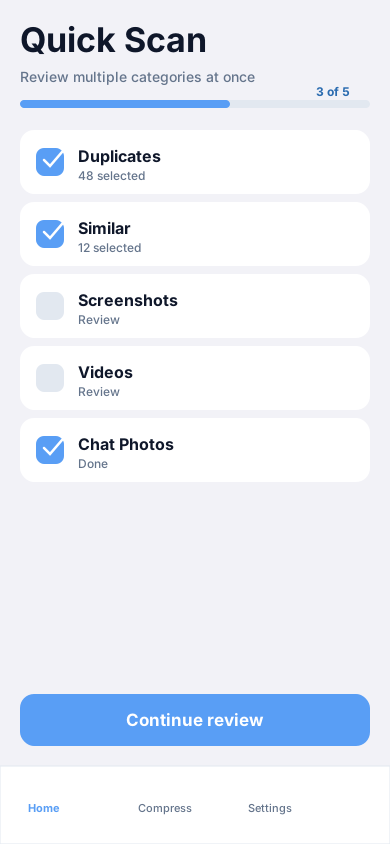
Smart cleanup
Quick Scan across categories
Review and clean multiple library categories in one flow. Quick Scan is designed for a single pass when you want momentum without skipping the review step.
Multi-category review in one session
iPhone storage cleanup
Clean duplicate media, compress large videos, convert Live Photos, merge contacts, and protect private memories — from one focused app on your iPhone.
Your media stays on your device while CleanerUp scans and suggests cleanup opportunities.
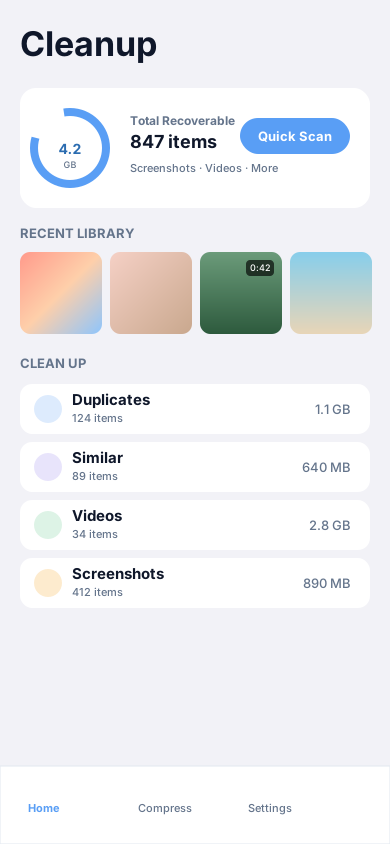
Why CleanerUp
CleanerUp is built around review-first cleanup — so you always know what you are freeing and what stays.
See recoverable space from screenshots, videos, and other categories before you commit to a clean-up.
Duplicates, similar shots, chat photos, and large videos — grouped so you can review with confidence.
Shrink video file sizes on the Optimize tab and convert Live Photos to stills when motion is not needed.
Merge duplicate contacts, fix incomplete entries, and keep on-device backups of your address book.
Import sensitive photos and videos into an encrypted vault secured with Face ID and your passcode.
Features
From the Cleanup tab to Optimize, Contacts, and Vault — each tool matches the names you see in the app.
Smart cleanup
Review and clean multiple library categories in one flow. Quick Scan is designed for a single pass when you want momentum without skipping the review step.
Multi-category review in one session
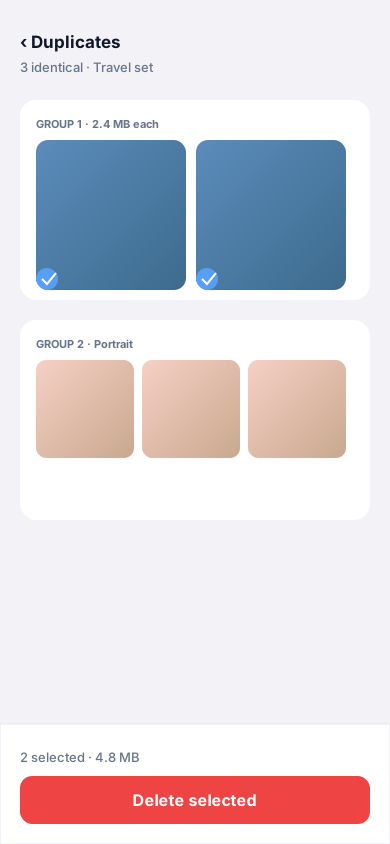
Duplicate photos
CleanerUp groups byte-identical photos so you can keep the best shot and remove redundant copies after confirmation.
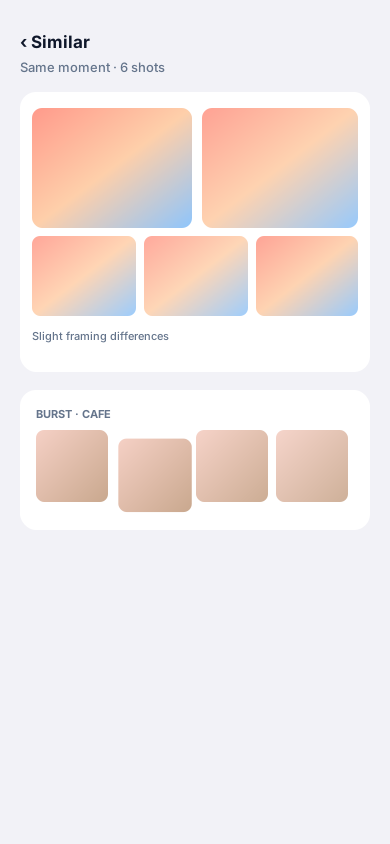
Similar photos
Similar finds photos that look alike — bursts, retakes, and near duplicates — so you can declutter without hunting manually.
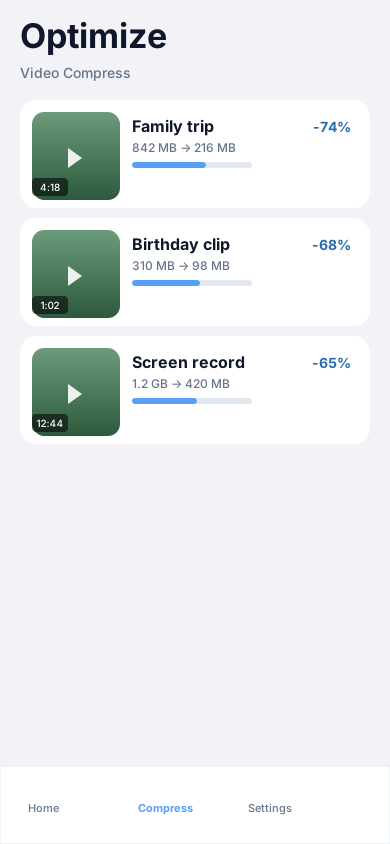
Video compress
On the Optimize tab, pick videos to compress, compare quality levels, and save space while staying in control of exports.
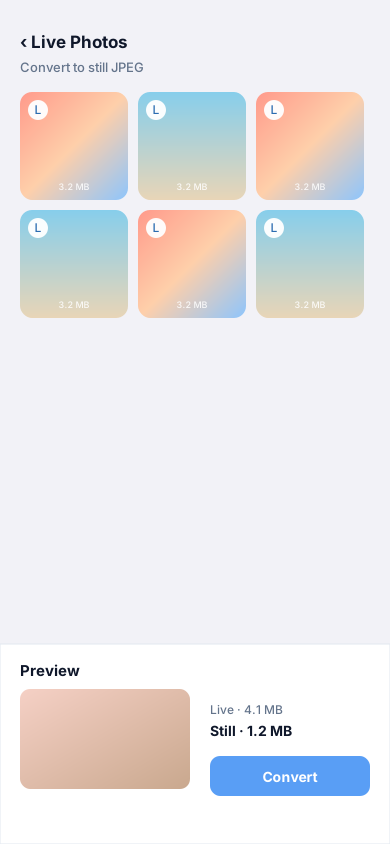
Live Photos
When motion is not needed, convert Live Photos to JPEG stills to recover space tied up in paired photo and video components.
Contacts
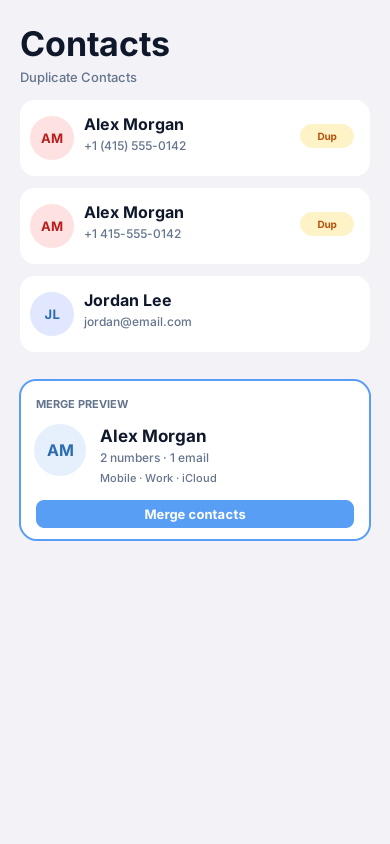
Duplicate Contacts shows merge previews before you combine cards. Incomplete Contacts and on-device Contact Backups keep your address book organised.
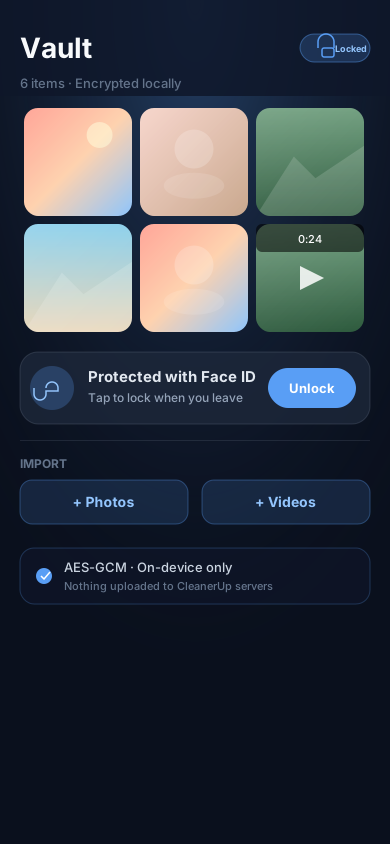
Private Vault
Import photos and videos into a vault protected by Face ID and a passcode. Content is encrypted on device before it is stored in the app container.
Storage story
CleanerUp surfaces recoverable space from categories such as screenshots and videos. The chart below uses illustrative numbers — your library will differ.
Before cleanup
128 GB device · illustrative
86% full
Recoverable in app categories
~18.4 GB
Example only — Total Recoverable on your Cleanup home card reflects your library.
After review & cleanup
109.6 GB used · illustrative
72% full
Privacy
CleanerUp is designed to keep analysis local and put you in control of what gets deleted or protected.
Library scanning, similarity detection, duplicate hashing, contacts utilities, vault encryption, and compression run on your iPhone — not on CleanerUp servers.
Galleries ask you to confirm before selected photos or videos are removed from your library.
The Private Vault unlocks with biometrics and a passcode you choose. Vault files use AES-GCM encryption in the app container.
CleanerUp uses Apple’s PhotoKit APIs. Loading some assets may use network access when items live in iCloud — standard Photos behaviour, not a separate CleanerUp cloud upload.
How it works
Grant photo or contacts access when prompted. CleanerUp analyses your on-device library and address book.
Open categories — Duplicates, Similar, Videos, Quick Scan, and more — and select what you want to change.
Confirm deletions, merge contacts, compress videos, convert Live Photos, or move items into the Vault.
Watch recoverable totals update on Cleanup and enjoy a lighter, easier-to-manage library.
FAQ

Free up storage and keep your library clean — with review-first cleanup on your iPhone.